The draft is waiting for you on invoice day
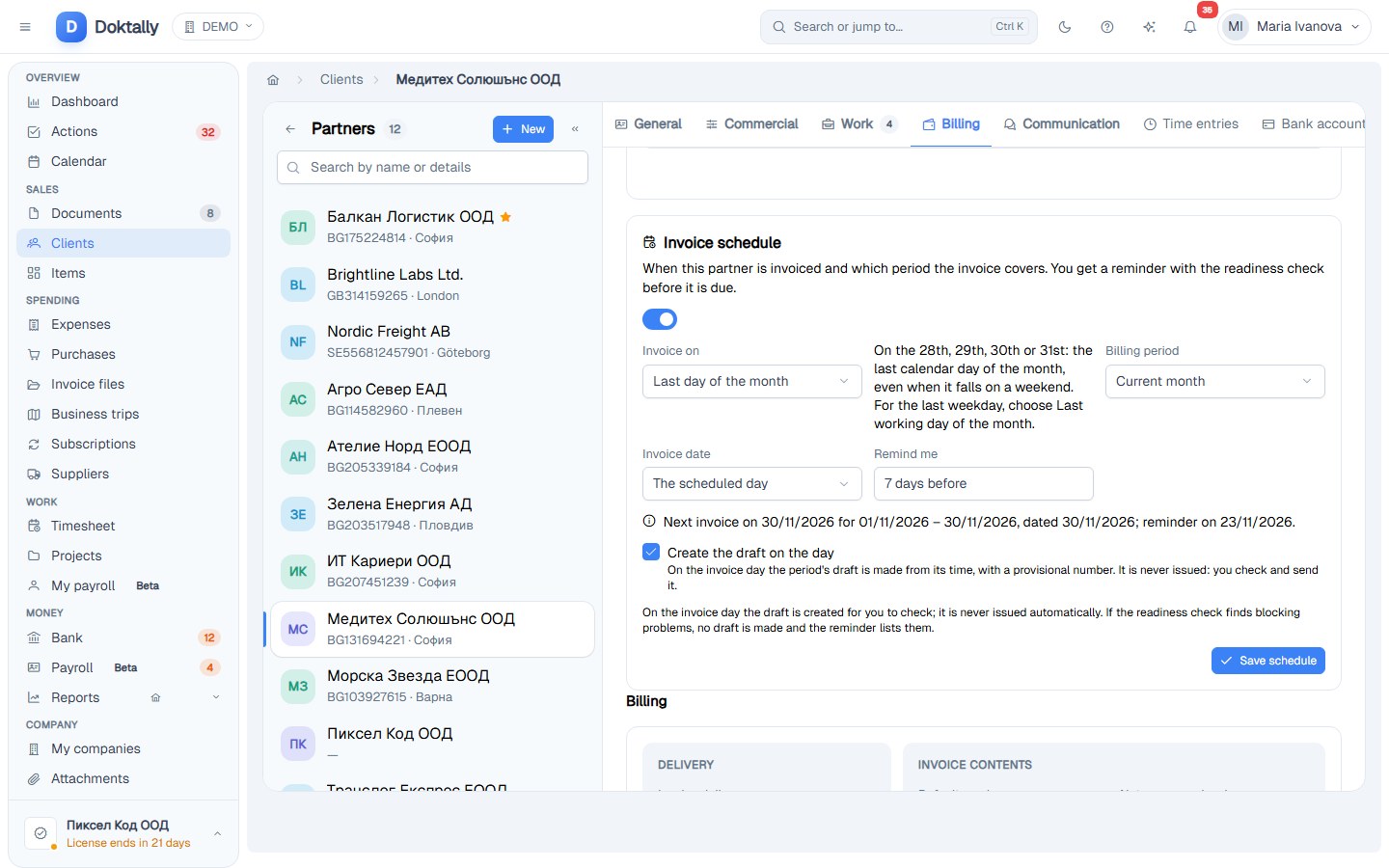
Each client has an invoice schedule. On its day Doktally builds the period's draft from the logged time and tells you it is ready to check. It never issues the invoice for you.
The problem
Invoicing day comes around every month, and with it the same routine: open the timesheet, pick the client and the period, generate the invoice and check it. Some clients are invoiced on the first working day, others on the last day of the month, others every week. Miss the day and the money comes in later.
How Doktally solves it
- One schedule per client: the first or last working day of the month, the last day of the month (the 28th, 29th, 30th or 31st, even on a weekend), a chosen day of the month, every week or every day, together with the period the invoice covers.
- A reminder before the day, three days ahead by default, with the readiness check of what will be billed.
- The draft on the day: on the invoice day (Sofia time) Doktally builds the period's draft the same way as Invoice this month, reserves its time and sends a Draft ready to check notification.
- Never issued for you: the draft keeps a provisional number until you issue it. A blocking problem, such as no billable time, means no draft; the reminder lists the problem, and the draft is made once it is fixed.
- Made once: an existing draft or invoice for the period, or a draft you deleted that day, means nothing new is created.
The result
On invoice day the work is already done: you open the draft, check it and issue it. The decision to send an invoice stays with you.
Technologies
Billing, Scheduling, Spring Boot
- Published: 2026-11-19
- Project: Doktally — Invoicing, time billing and VAT for small businesses
- Case study